About
interviewster is an AI interview preparation assistant — your personal copilot that helps you practice and improve. It picks up audio, understands the context, and delivers real-time feedback and suggestions to strengthen your responses.
Voice Mode
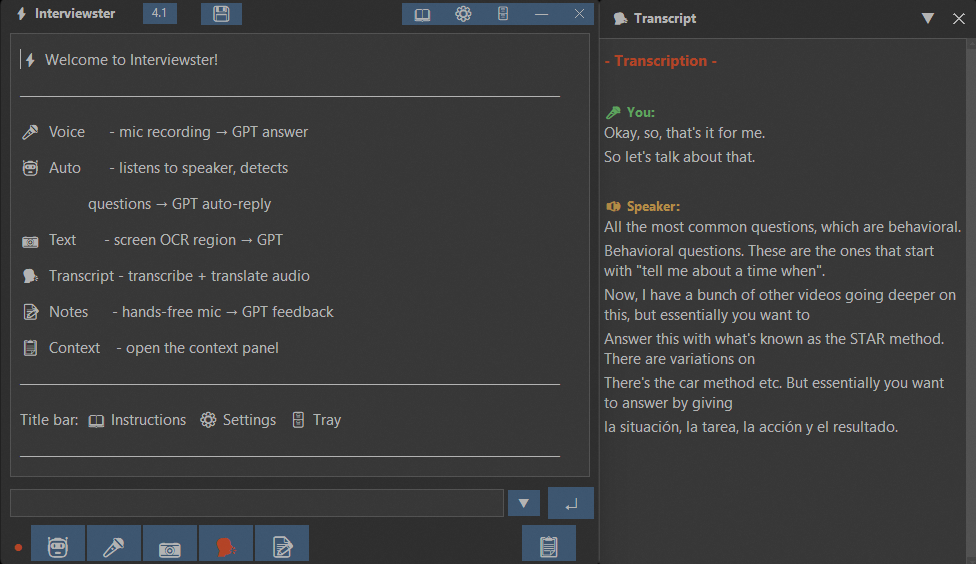
One click to capture. The app picks up audio from your practice session, transcribes it, and sends it to AI. You get structured feedback within seconds.
Auto Mode
Hands-free practice. Run a mock interview — the app detects questions as they come and coaches you to build stronger, more structured answers.
Screen OCR
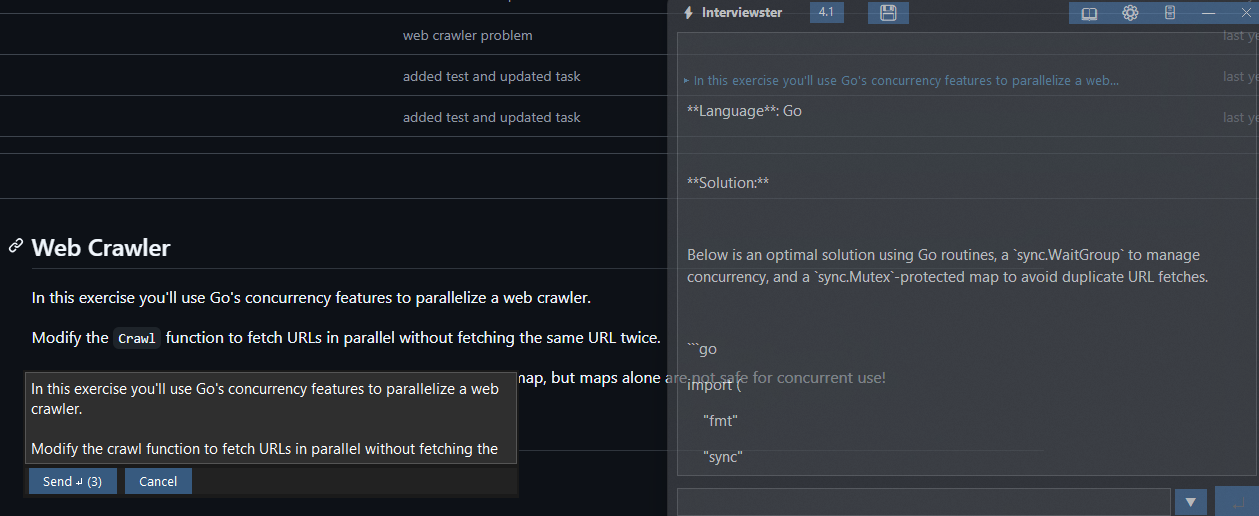
Practicing a coding task or written question? Select the area, OCR extracts the text, and AI walks you through the solution — so you learn the approach.
Live Transcript
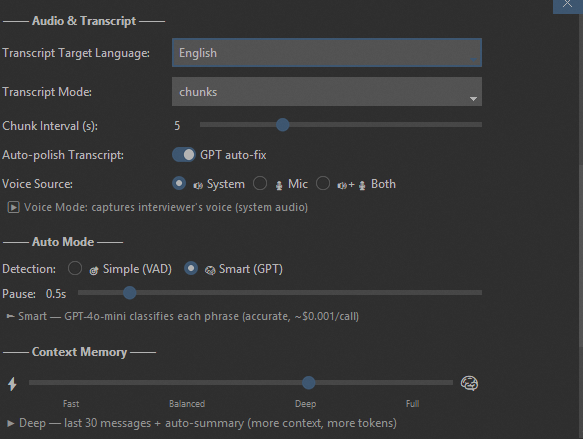
Dual-stream transcription - captures both sides of your mock interview simultaneously. Includes real-time translation to your preferred language.
Notes Mode
Speak into your microphone and get an instant AI response. Great for quickly checking an idea, verifying an answer, or thinking out loud.
20+ Languages
Practice in any language. Supports English, German, French, Spanish, Japanese, Chinese, Korean, Russian, and 15+ more with real-time translation.
Screenshots
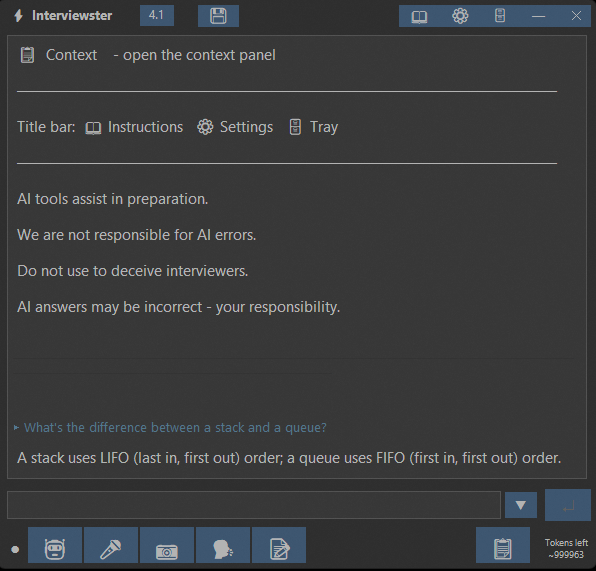
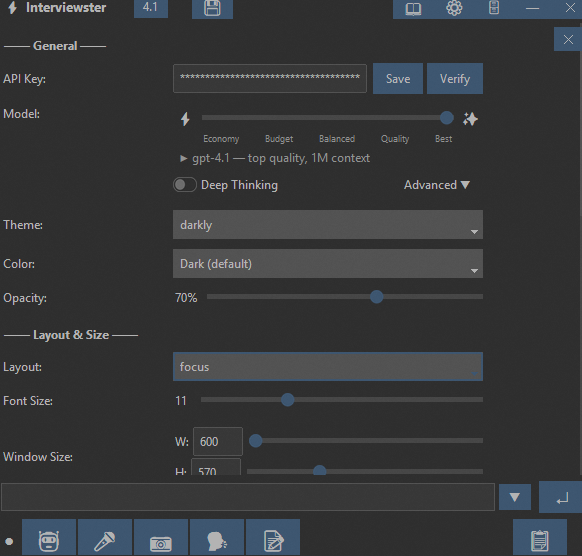
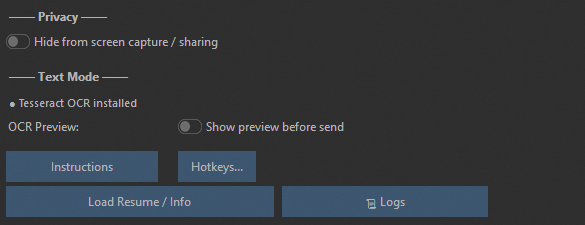
Take a look at interviewster in action.

Quick Start
Get started in minutes - no complicated setup required.
Install & Launch
Download the app for your platform. The installer handles everything automatically - audio drivers, OCR engine, and all dependencies.
Connect Your API Key
Paste your OpenAI API key in Settings. No account creation, no subscription - you only pay for what you use directly to OpenAI.
Choose Your Mode
Pick from 5 modes: voice capture, auto-detection, screen OCR, live transcript, or notes. Each one is built for a different preparation scenario.
Start Practicing
Start practicing. interviewster helps you structure your thoughts and practice responding to common interview questions with AI-powered feedback.
Why interviewster
No subscriptions. No cloud. No account. Just results.
One-Time Payment
€19.99 once. No monthly subscriptions, no hidden fees. Pay once, use forever.
Your Key, Your Cost
Bring your own OpenAI API key. Pay only for what you use — a typical practice session costs under $0.30.
100% Private
Everything runs locally on your machine. No cloud, no account, no data leaves your device. Ever.
5 Modes for Every Scenario
Voice, Auto, OCR, Transcript, Notes — each built for a different preparation scenario.

- Windows 10 or 11 (64-bit)
- 500 MB free disk space
- Internet connection for AI and transcription services
- Microphone
The macOS version is currently in development.
Subscribe to our newsletter to get notified when it's available.
- macOS 10.13 (High Sierra) or later
- 1 GB free disk space
- Internet connection for AI and transcription services
- Microphone
Available for Windows. macOS coming soon. Linux is not currently supported.
FAQ
Common questions about features, setup, and pricing.
What languages does the application support?
English, Russian, French, German, Spanish, Italian, Portuguese, Dutch, Polish, Czech, Hungarian, Slovak, Slovenian, Croatian, Estonian, Latvian, Lithuanian, Chinese (Simplified), Japanese, Korean, Hindi, Thai, Vietnamese
How does the AI interview preparation process work?
Launch the app and choose a mode. In Voice or Auto mode, the app picks up audio, transcribes it, and provides AI-powered feedback to help you improve. In Transcript mode, it captures conversation with live translation. Screen OCR lets you capture text from your screen for AI analysis.
Do I need any special setup or software to get started?
No manual setup needed. Audio capture and OCR engine install automatically. Just paste your OpenAI API key and you're ready to go. The app works with your system audio - no extra cables or drivers required.
Is my personal data secure on your platform?
This is a local, desktop-based application - your information is stored exclusively on your own devices and isn't transmitted anywhere else.
On which platforms does the application run?
Currently available for Windows 10 and Windows 11. macOS support is in development — subscribe to our newsletter to be notified when it launches.
What AI models are supported?
The app works with OpenAI GPT models including GPT-4 and the latest versions. A smart quality slider lets you choose between Economy and Best quality depending on your needs.
Can I practice over Zoom, Google Meet, or Teams?
Yes. You can run mock interviews with a friend, mentor, or coach over Zoom, Google Meet, Microsoft Teams, Webex, or any other platform — the app picks up the audio and gives you feedback. No plugins or extensions needed.
How does the app display information?
The app uses a clean overlay interface on your desktop, designed to help you focus on your preparation without distracting elements. You can customize the layout, transparency, and font size to match your workflow.
How much does it cost to use?
The app itself is a one-time purchase of €19.99 — no subscription. You also need an OpenAI API key, which you pay for directly to OpenAI based on usage. A typical practice session costs around $0.05–0.30 depending on the model and length.
How fast is the feedback?
Feedback typically appears within 2–5 seconds after a question is detected during your practice session. The speed depends on the AI model you select — Economy mode is faster, Best quality takes a bit longer but gives more detailed suggestions.
What is your refund policy?
We'll gladly assist you in getting things up and running so you have a positive experience. However, all sales are final and no refunds are provided.
Our Contacts
We love hearing about your experience! Contact us if you'd like to share.
We're here to help you get the most out of interviewster. Whether you have a question about setup, need technical support, or want to share feedback — don't hesitate to reach out.